General configuration
When configuring content you can define:
- Number of Items – choose the number of items for your bracket from 2 to 25
Note: Once your poll is published, the number of items and content type could not be changed.
- Content Type – choose it if you would like each item to include a photo, video, or animated GIF. All content items must have the same content type.
- More info – choose how More Info link will open within each content item.
- Modal – open within the page in a pop-up modal.
- New Tab – open in the new tab.
Images
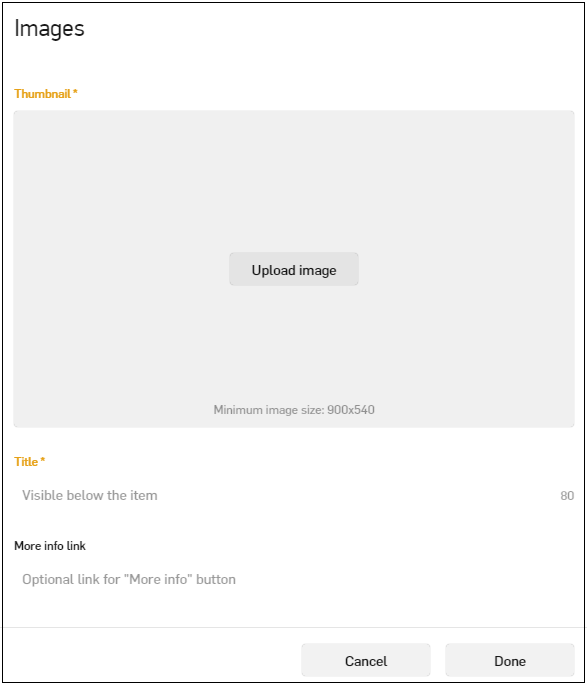
Images have the following settings:
- Name – contains the item name, up to 35 characters.
- Description – contains the item description, up to 500 characters.
- More Info URL (optional) – contains a full URL for pop‐up from the detail page.
- Upload Image – an image upload. Before image upload, mind the following:
- The picture should be a minimum size of 900x540 and keep to a 16:9 aspect ratio.
- To remove the current image it is necessary to upload a new one.
- Save Draft – save the changes made to that item or any other items that have not previously been saved.
- Cancel – this option cancels and removes any changes made to the item or items since the last time the admin user saved.
Videos
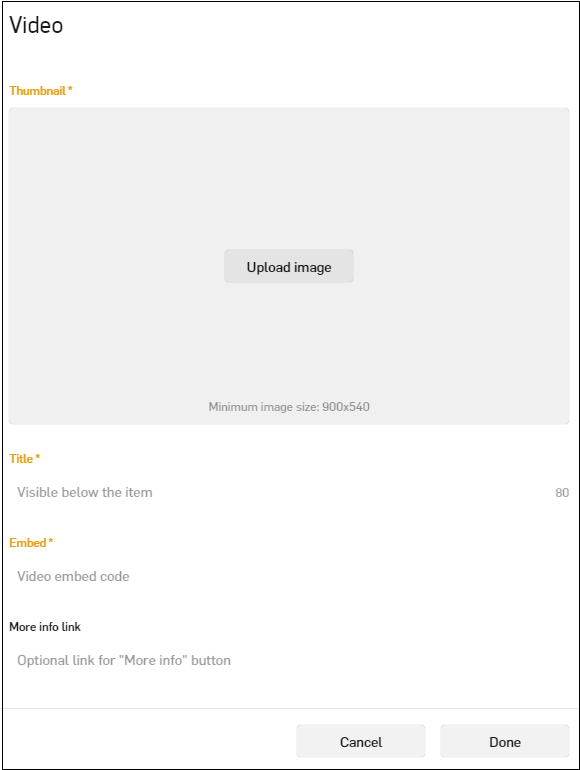
Videos have the following settings:
- Name – contains the name, up to 50 characters.
- Description – contains the item description, up to 500 characters.
- More Info URL (optional) – contains the full URL for pop-up from the detail page.
- Embed Code – contains the embed code of the specific video that you would like to embed for this item.
- More Info URL (optional) – contains a full URL for a pop‐up from the detail page.
- Cancel – cancels and removes any changes made to the item or items since the last time the admin user saved.
- Done – the option saves changes.
Animated GIFs
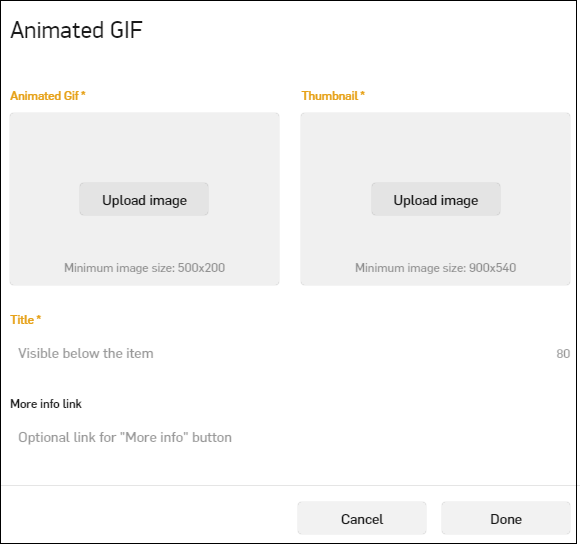
Animated GIFs have the following settings:
- Name – contains the item name, up to 50 characters.
- Description – contains the item description, up to 500 characters.
- More Info URL – contains a full URL for a pop‐up from the detail page.
- Upload Thumbnail – the image for the thumbnail upload option. Before adding an image, mind the following:
- Thumbnail Size should be a minimum size of 900x540 and keep to a 16:9 aspect ratio
- Upload a new image to remove the current one
- Upload Picture – the animated GIF upload option. Mind the following:
- GIF should be a minimum size of 500x200px.
- It is necessary to upload a new GIF to remove the current one.
- Done – saves the changes made to that item or any other items that have not previously been saved.
- Cancel – cancels and removes any changes made to the item or items since the last time the admin.