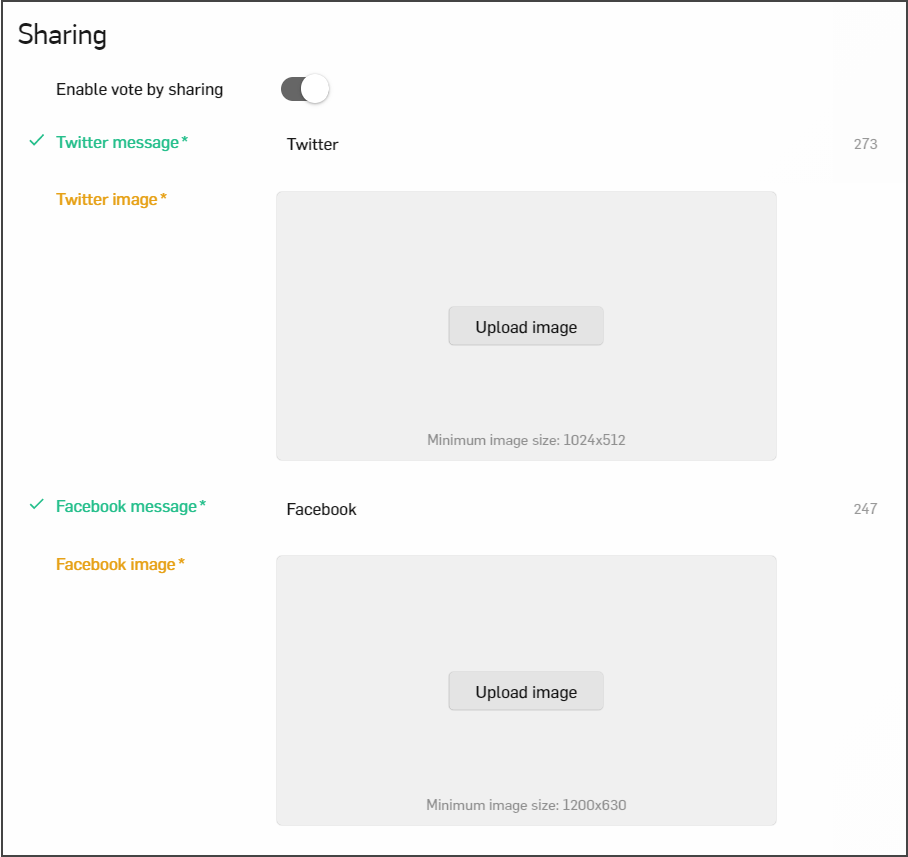
From the Details tab, you can configure the default sharing text and images for Twitter or Facebook.
The user can share the bracket using icons at the top of the page or from the Thank you popup.

If embedding the bracket on another page, mind the following:
- Your webpage open graph and twitter meta-data should be configured with the sharing text and images from your CMS.
- Twitter Default Message:
- Enter the default Twitter message for the entire bracket (up to 280 characters)
- URLs and Hashtags can be entered
- Bracket Twitter Share is available to the user here on all bracket pages
- Bracket Twitter Image sharing is currently not available.
- Facebook Default Message:
- Enter the default Facebook message for the entire bracket o URLs and hashtags can be entered
- Bracket Facebook Share is available to the user here on all bracket page
- Facebook Image Sharing is currently not available
- Minimum image size 1200x630 px
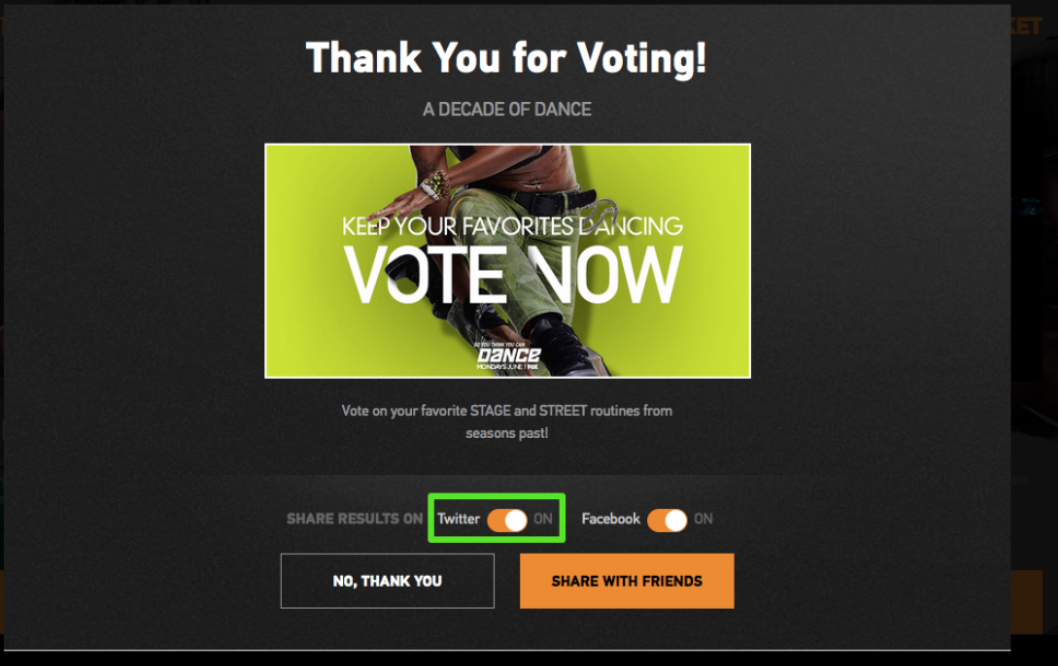
Thank you popup
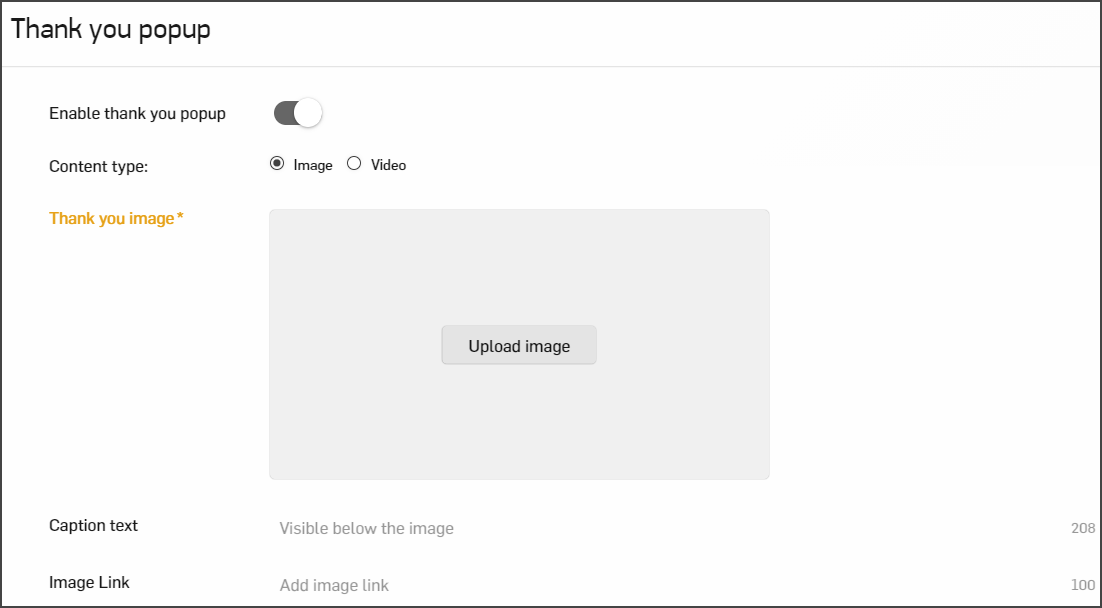
Configure a thank you popup to display after the user has voted (or after the user returns to bracket view in BracketPro) by enabling thank you pop-up.
Thank you popup may contain an image and video along with a caption.
Optionally, you may add a URL to link the image.
Note: Social sharing will not display if age control is enabled
Enable vote by sharing
Note: This option is not available by default but can be added if you contact your product support.
You can enable Vote by sharing and users will be able to vote automatically if they share links to their FB and Twitter.
Note: Each share is counted as a separate vote. However, in your statistics, you will see the number of votes (given purely by voting) and the number of shares separately.
If Vote by sharing is disabled in your bracket, please make sure you enabled Matchup sharing:
- Go to a Matchups tab
- Proceed a Sharing section
- Switch on Enable matchup sharing as shown below and click Update.
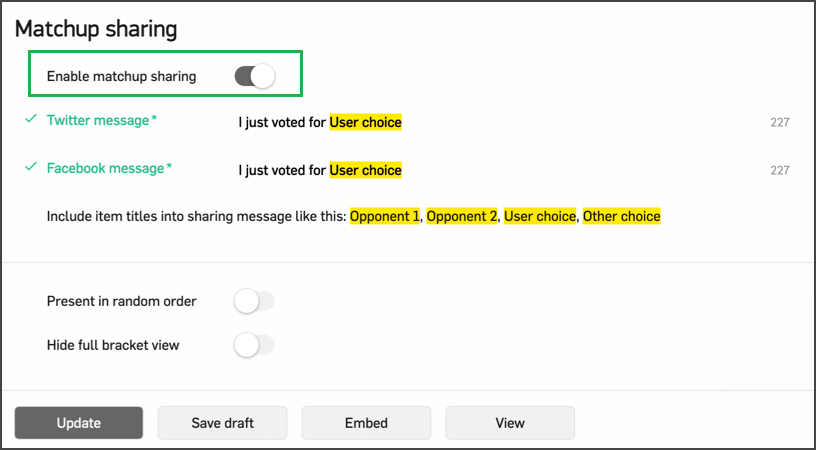
After that, you can return to Details section and enable Vote by Sharing.