All campaigns you have created are available the left panel Drafts, Active and Closed brackets in alphabetical order within each block.
Create, Edit, and Delete
Use the following options to manage campaigns:
- Create New
To create a new bracket or poll, go to the applicable product and click the New button at the top of the page.
- Edit Existing
Select a previously configured campaign from the left panel that you would like to configure.
- Delete
When you hover over an existing campaign, a trash icon will display on the right side. Click on it to submit the deletion.
Note: This action cannot cause all saved data to be deleted for a particular bracket.
Saving, Updating, & Publishing
All the options are available at the upper panel (see the following image):

There are several options available:
- Save draft
Before your poll published or after it is published, you are able to save a draft to save your progress without publishing your changes live.
- Publish
Once you have configured all required fields, you will be able to publish your poll to generate an embed code and sharable URL.
Note: Once the poll is published you will not be able to change the number of content items or content type.
- Update
The update will publish all changes that have been made to the poll so they will be visible to your fans.
- Preview
Preview will allow you to see your configured poll before you initially publish to confirm it appears as expected.
- View
View will link you to your poll to see it live.
Embed
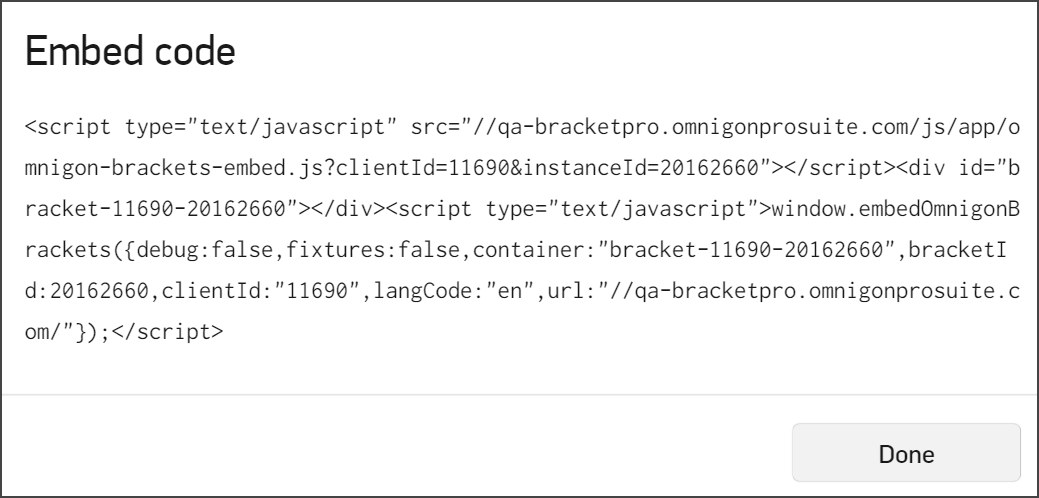
Once the campaign has been published, an Embed button will display. Copy embed code. This code can be used to embed the bracket into an iFrame within your site.
Campaign Statuses
There are several campaign statuses:
Draft
New brackets or polls will be in a Draft state when first created. When still a draft you can update all configuration items and Preview before publishing to go live.
Active
Once Published the campaign will be active and will now be able to:
- View the page
- Generate an Embed code
You will no longer be able to adjust
- Content type - can not change once published.
- Number of items - can not change once published.
Closed
When voting is concluded, your previously built campaigns will continue to exist in admin and on the web for the duration of your active subscription unless you choose to delete.