Enabling Data Capture
Enable a pop-up to collect user data from the Data Capture tab within the admin.
When enabled, users will be prompted to provide their name, email, and any additional fields configured after they have voted.
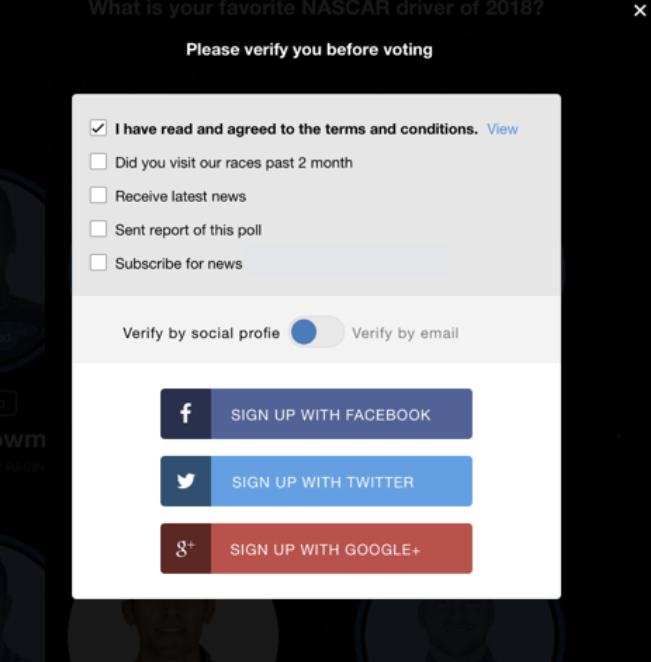
Gating Content with Data Capture
To require users to fill out the data capture form prior to casting votes, please reach out to your Account Manager.
Age Gating
If you want to require users to be above a certain age in order to cast votes, please reach out to your Account Manager.
Once enabled you can set the age limit at the bottom of the Data Capture section in admin.
Note: Users below the required age will not be able to vote.
Exporting User Data
If you have not directly integrated iX Engage with your Organization user data store, you can export it as CSV for user data collected by date range, using the following instruction:
- Move to the bottom of the Data Capture section.
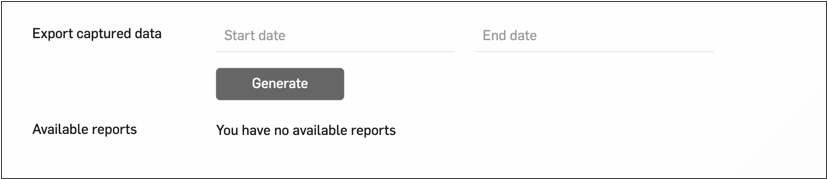
- Click Generate option. Once you generate a report, it will display in Admin after about 1 minute.
- Click at a report to open and you will be prompted to input your password.
- Input an additional password sent to the email of the account you used to log in to verify your identity. If you did not receive email within a couple of minutes, check spam.