Facebook sign-in is set up in the general settings and then enabled for every specific campaign.
To set up Facebook sign-in you should have an account in Facebook Developers: https://developers.facebook.com/.
To set up sign-in from Facebook, it is necessary to generate the following settings:
- Client ID
- Secret key
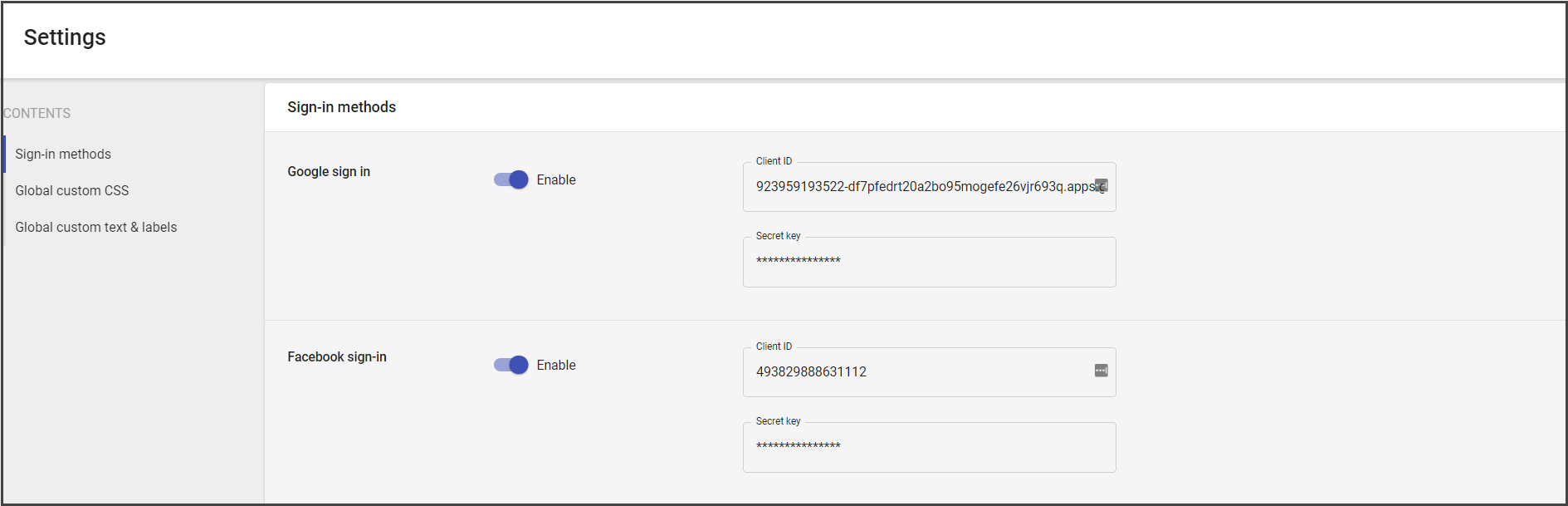
You can find the Client ID/Secret key in your Facebook developer account.
Facebook Sign-in Dev Settings
To set up the sign-in for the campaign, do the following:
- Go to https://developers.facebook.com/.
- Create an application (see the following instruction).
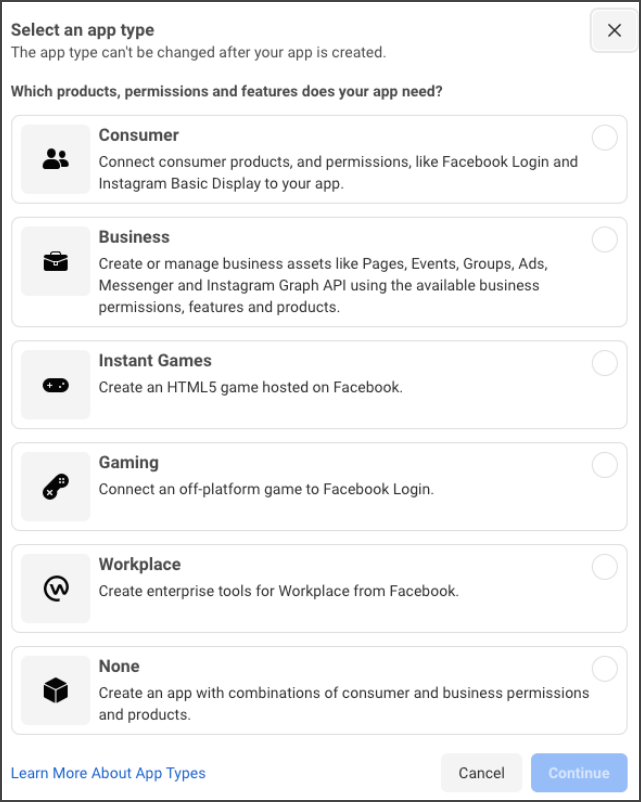
- Add all required information. Use Consumer, Business, or None app type.
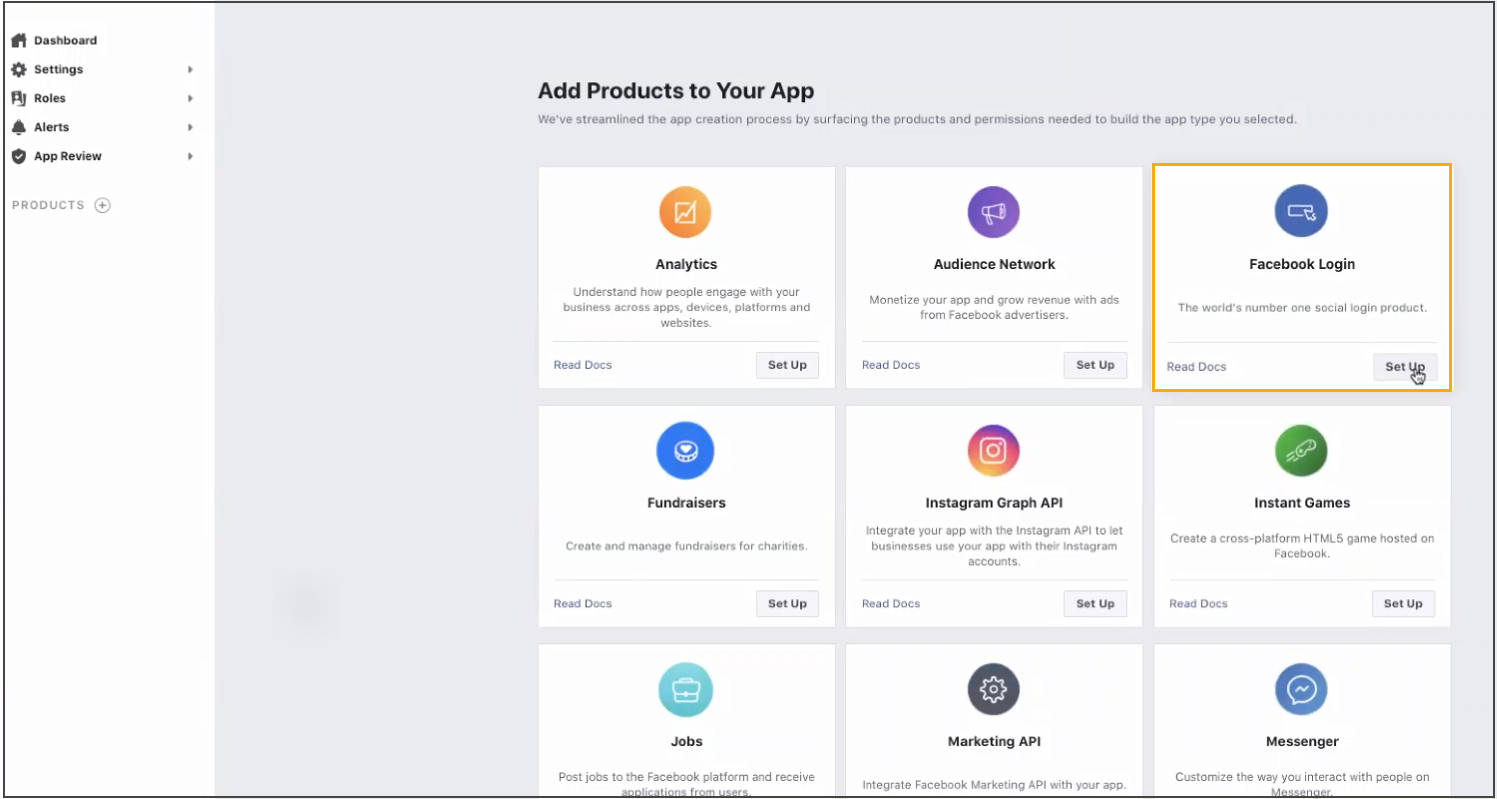
- In the created app window, choose Facebook Login.
- In Facebook Login settings, choose Web app.
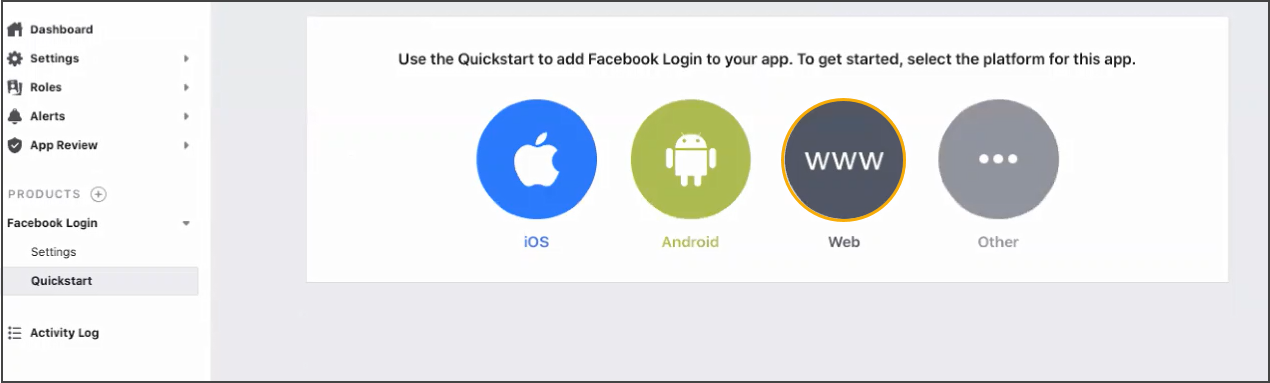
Note: The login settings that appear in the process of the Login app creation are already added to Engage.
- Next, go to Settings > Basic.
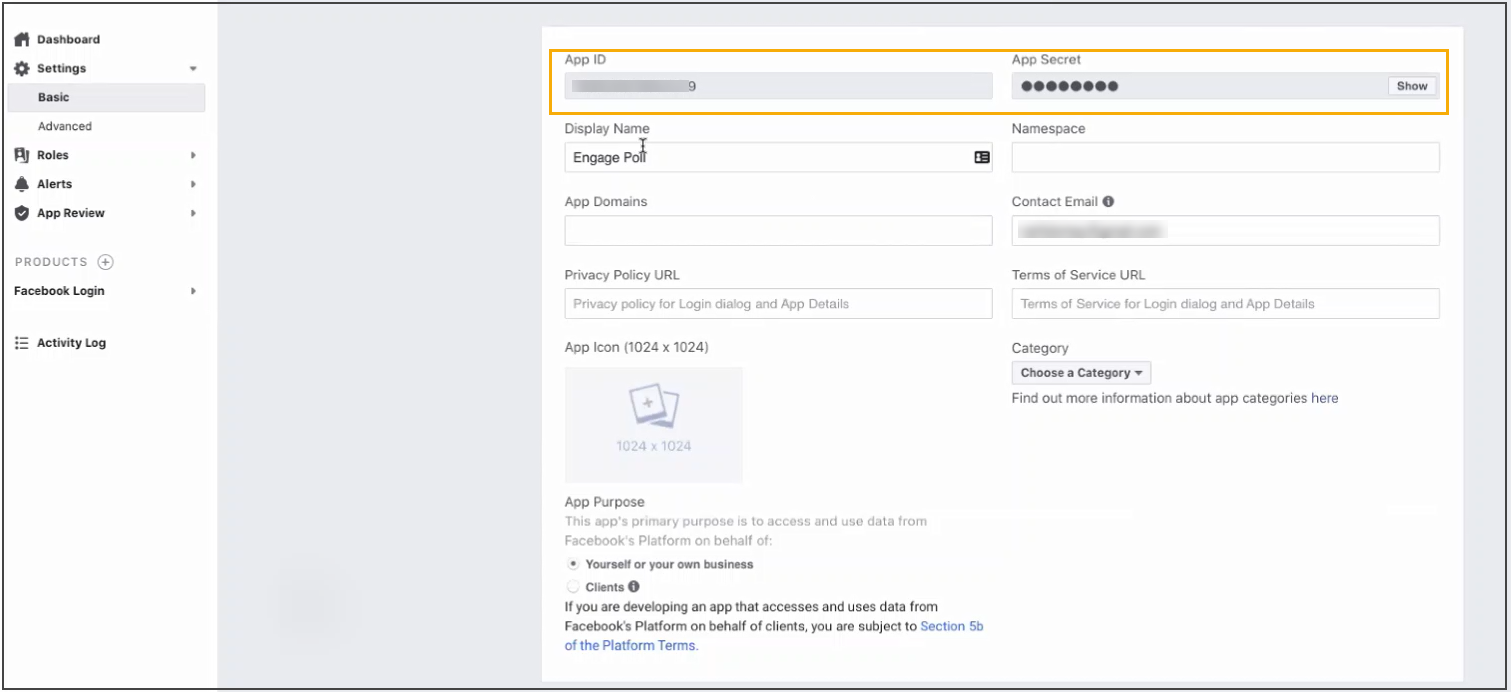
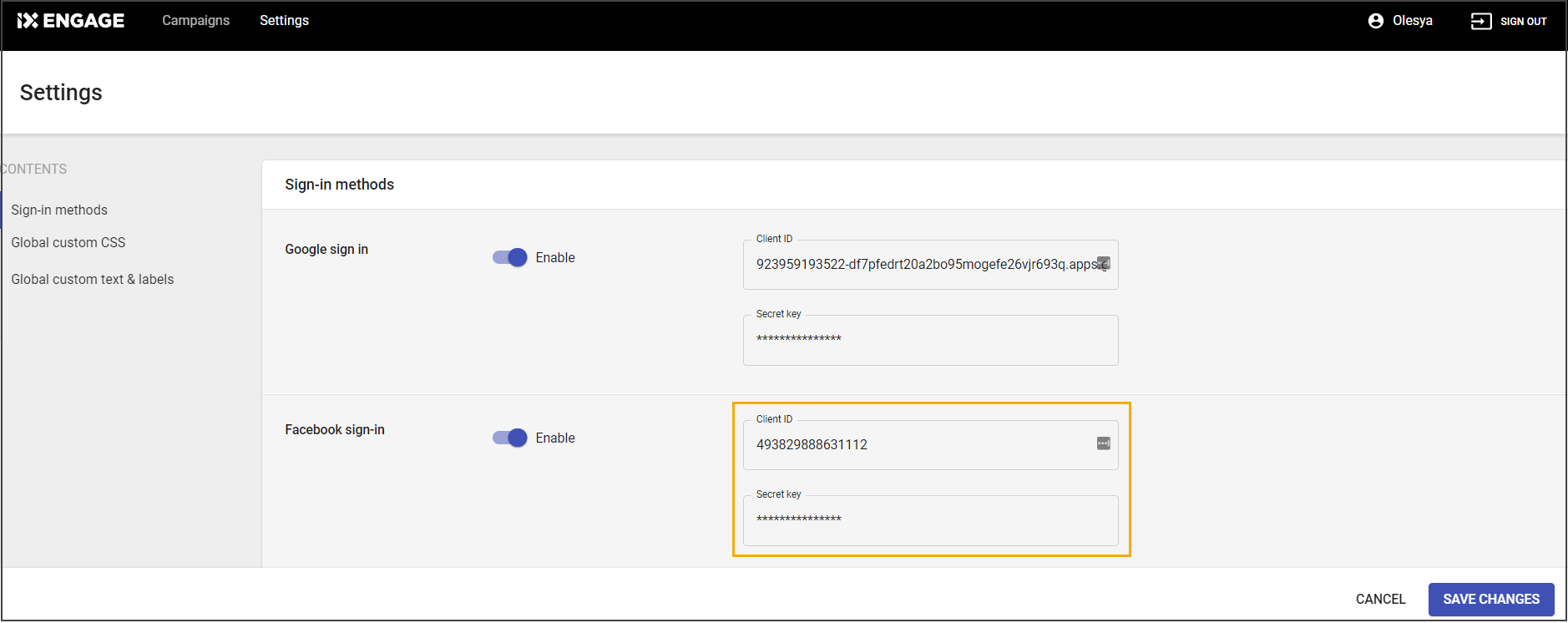
- Copy the App ID and paste it to Client ID section of Facebook sign-in.
- Copy App secret and paste it to the secret key field.
- Add widget domains - one domain per every campaign type.
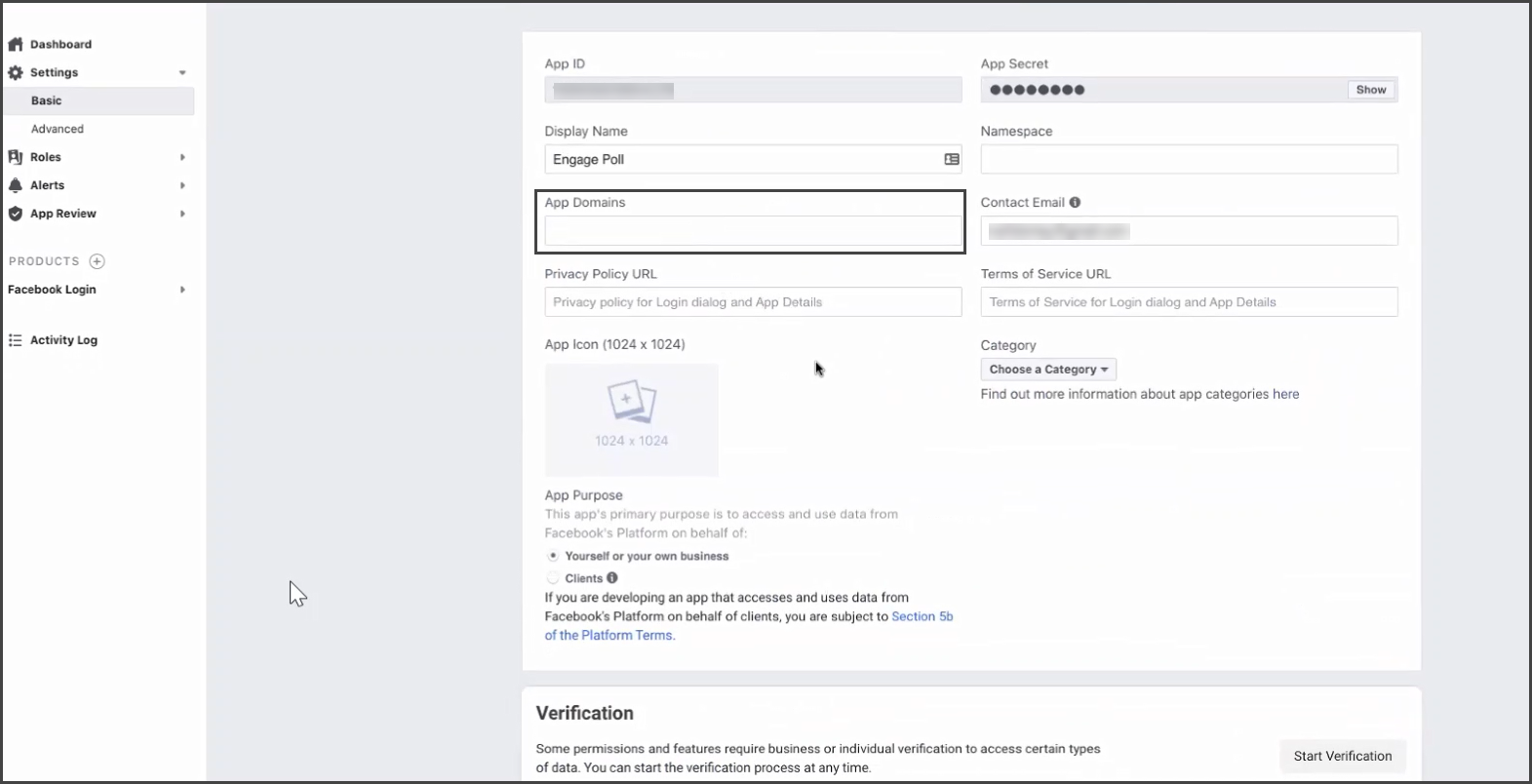
- To add the address:
- Click the Preview for the needed campaign.
- Copy the link part as given below:
