On the Campaigns list, campaigns are grouped in two categories: Draft and Published (see more in this chapter).
Published campaigns
Published campaigns are collected in the Published tab.
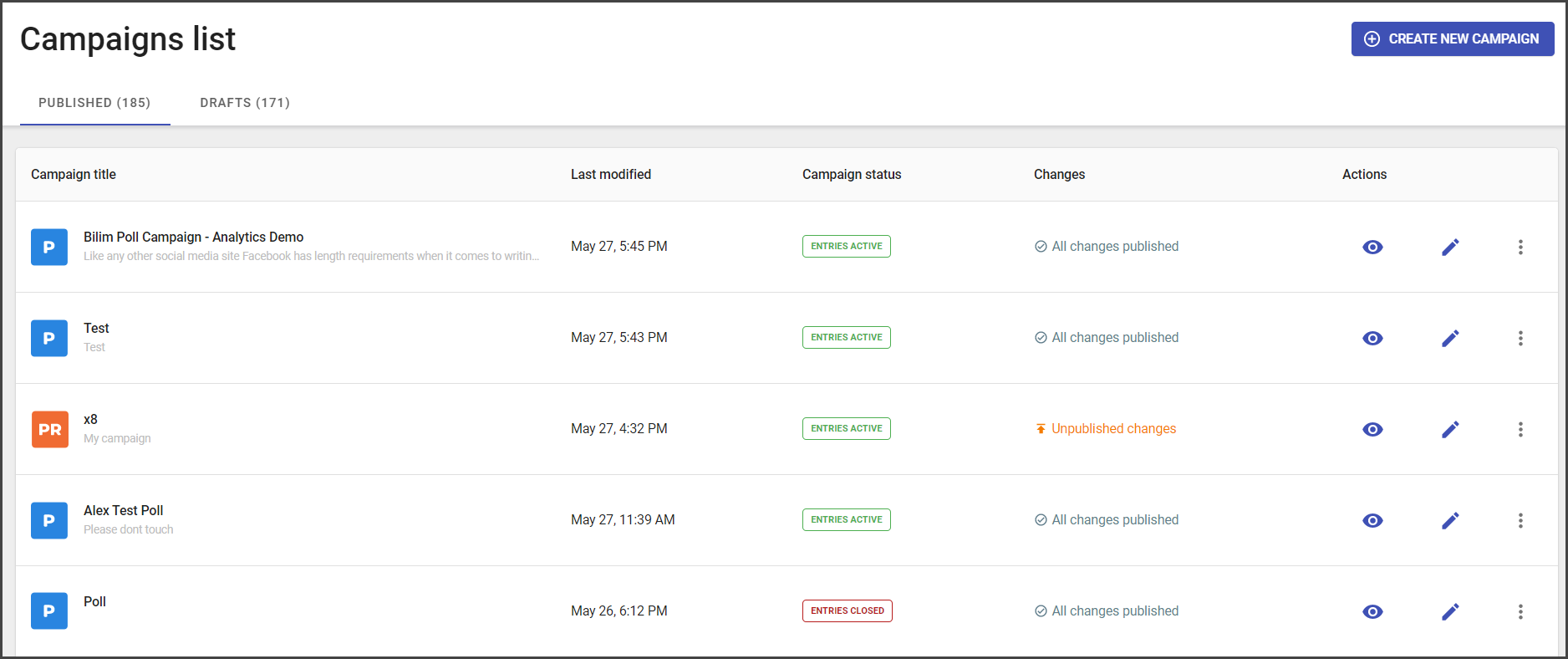
The Published tab contains the general number of campaigns (given at the tab name) and the list of campaigns, including general information about campaigns and actions, available right from the Campaigns list tab.
Every campaign in the list has the following information:
- Campaign title
- Campaign type icon
- Campaign language
- Date updated
- Campaign status :
- Entries active
- Entries closed
- Pending
- Changes status:
- All changes published
- Unpublished changes
The actions, that used for managing the campaign are the following:
- Preview – the action that redirects to the widget preview.
- Edit – the action that opens the campaign editor.
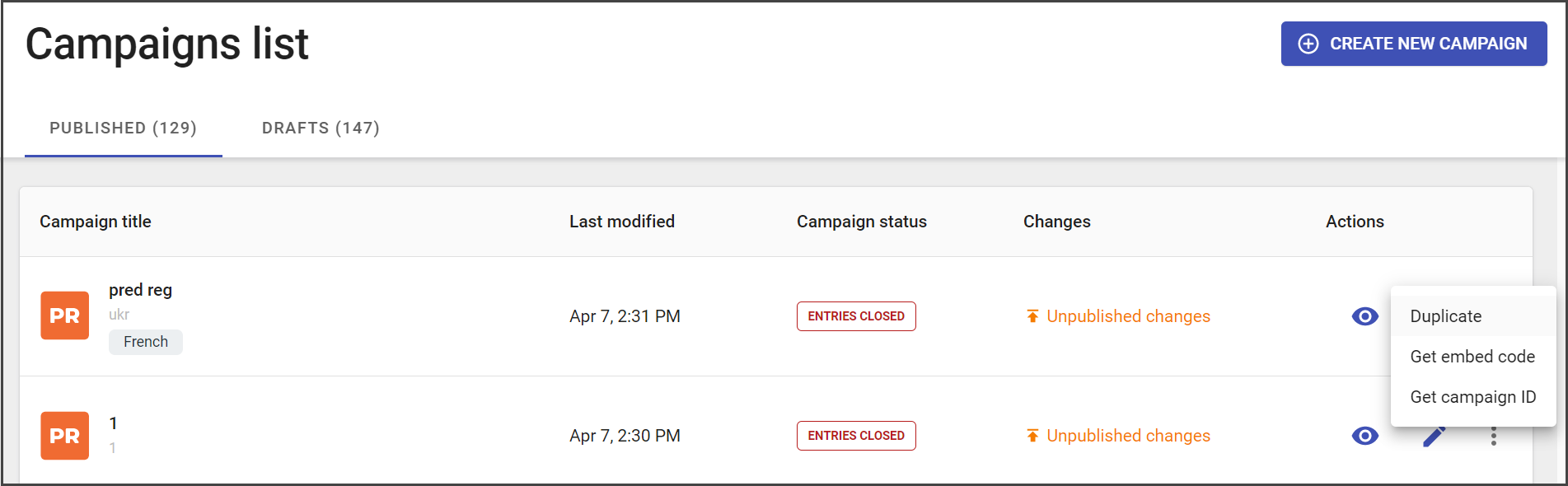
- More options button
- Duplicate – the action that makes a copy of the selected campaign including the full set of parameters it has (except for selected winners and analytics).
- Get embed code – the action that copies the campaign embed code to the clipboard. It is the code that can be added to the webpage to display the widget there.
- Get campaign ID – the action that automatically copies the campaign id to the clipboard (it may be used as an external link or as a reference).
Draft campaigns
The draft campaigns that not published yet are stored in the Draft tab.
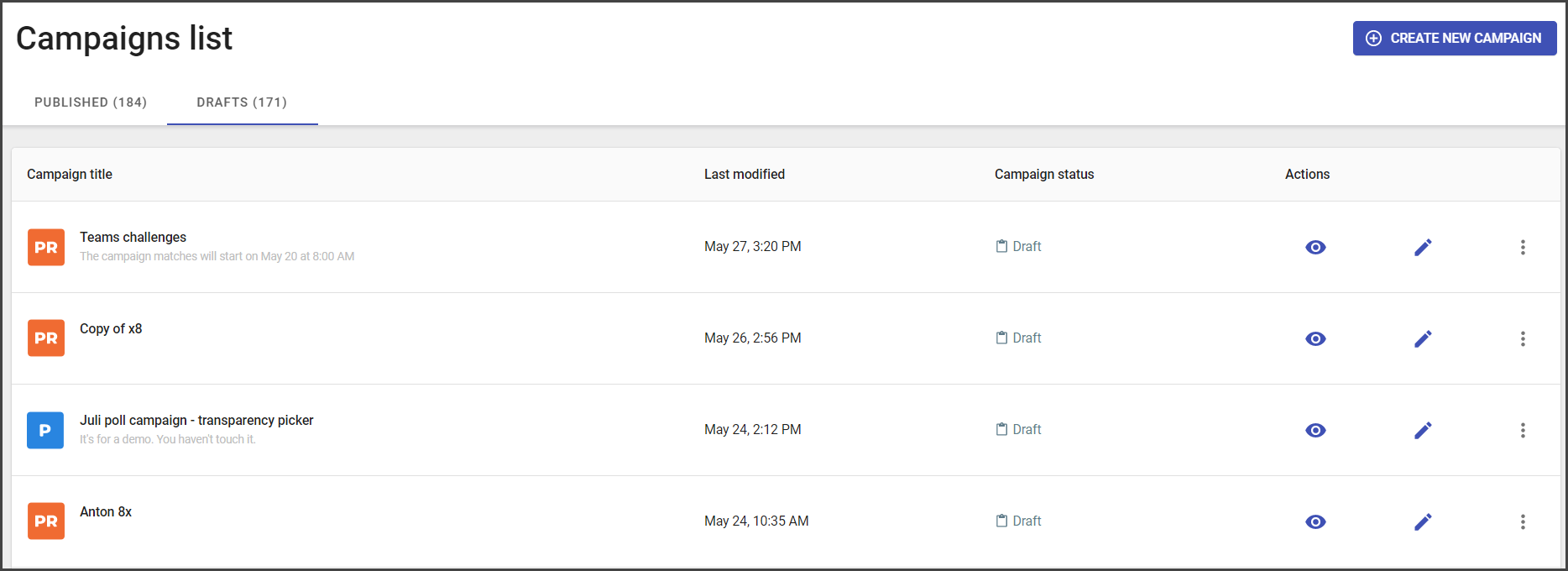
Draft campaigns list contain:
- Campaign title
- Date updated
- Campaign status
- The list of available actions:
- Preview
- Edit
- Duplicate
- Get campaign ID